Taskblast vs Nifty – Project Management Software Comparison
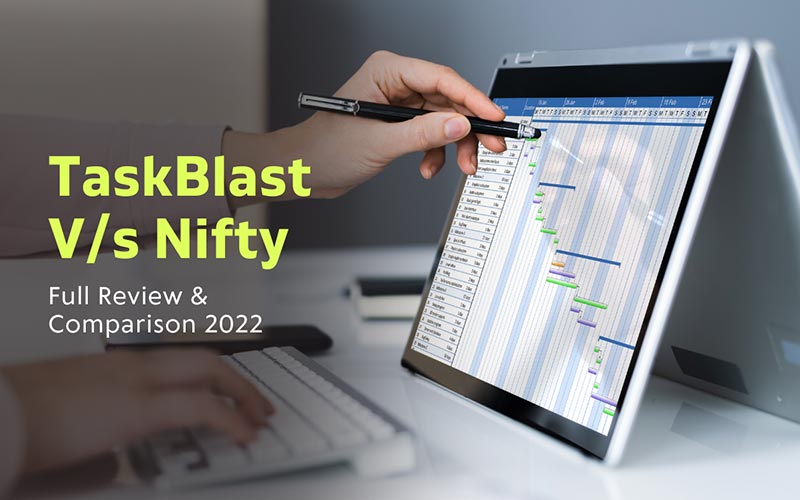
The success or failure of a project depends on finding a good way to collaborate and manage resources. When teams are struggling to meet deadlines, keeping projects up to date becomes a job. This is where good project management software comes in handy. It eliminates unnecessary confusion and rework. Each software has different functions. It is imperative that you understand project management software and keep your best interests in mind. To help you choose the right tool, we directly compared two widely used tools – TaskBlast and Nifty. If you want to compare these project management software and choose the one that is best for your business, read to the end!
Project management software is a tool used by nearly every industry to plan projects, allocate resources and assign tasks. It helps project managers get the whole team on the same page [literally]. It’s also useful for teams to keep track of all the tasks at hand, schedules and deadlines. These are useful for quality management and document exchange between multiple team members within a project. They are common platforms where collaborators, teams, stakeholders and customers come together. Some examples of popular project management software include – Trello, Jira, Monday, Basecamp, Nifty, and TaskBlast.
Taking it a step further, let’s compare these project management software with each other.
Nifty and TaskBlast are two cloud-based project management software that help businesses achieve workable workflows by organizing tasks, building team collaboration, task management and goal creation.
Nifty is a tool for managing tasks, schedules, documents and goals in one place. It offers various features such as flexible boards, lists, built-in workflow management and filters for complex tasks. You can integrate your work and calendar into one tab. TaskBlast is an easy-to-use project management tool created specifically for software teams to keep projects on track. It benefits small groups or freelancers who need an easy-to-use yet comprehensive interface and occasionally want to involve clients or product owners.
Nifty is proficient in task management, timesheets and goal organization in many ways. It is helpful for all kinds of projects, but it is mainly aimed at medium and large organizations. However, by trying to fit in with such a wide range of companies with different backgrounds, you might feel that it’s not specifically catering to people working on software teams. TaskBlast was created by an experienced project manager who was dissatisfied with the results and general handling of other project management software. The versatility and integration provided by TaskBlast will help you customize and manage projects by enabling team members and clients to collaborate and interact successfully. Let’s take a look at some of the key features that set TaskBlast apart from Nifty.
advantage
Nifty has a comprehensive yet intuitive and easy-to-use feature set. Great top down view. Well organized task panel with easy addition of custom fields. Collaborate with your team using real-time messages that can quickly be turned into tasks.
shortcoming
Customer support is inconsistent. It’s a bit hard to get used to; loading missions also takes some time. There are no notifications for DMs in the software.
Recommended for – Nifty is suitable for most medium to large enterprise organizations.
advantage
TaskBlast is easy to use and offers excellent customer support. It has a useful sublane function. It also has a very promising future roadmap. It is also cost-friendly and has a ready-to-use approach.
shortcoming
No backlog management actions and hotkeys.
Recommended for – TaskBlast is suitable for most SMBs – especially software teams.

Taskblast offers a free version of the software as well as various pricing plans to choose from.
On first impressions, the two pieces of software seem attractive to similar businesses. But when you dig deeper, their features and functions are quite different. In this article, we compare the similarities and differences in tool features, core operating principles, and the pricing points they offer. We have seen how Taskblast has advantages over Nifty depending on your budget, organization size and ease of use. While Nifty is a great project management software, it’s not for people working in software teams. It lacks some important agile components sourced in Taskblast. While add-ons in Nifty are helpful, they often don’t integrate well with the flow of the application, giving Taskblast the upper hand!
So, if you want an in-depth comparison of these two project management software, this article will definitely benefit you.
Now that you have all the information you need to know about these software, you can make an informed decision about what’s best for your team.
Do you use other project management software? Let us know in the comments below!
Just another WordPress site

Leave a Reply