The problem with TV cameras, cables and full scale production is that things are happening now, not in weeks!
You need exciting and relevant footage today, not next Tuesday!
Viewers want a TV-quality experience (and sound) even on Facebook.
Heavy equipment means you are limited to only one production a day…
Try the closest alternative to expensive video equipment and full-on productions and transform the way you live stream and produce video with this accessible, flexible and profitable streaming and recording app.
Meet RECnGO Lifetime Deal
It’s the pro video production studio that fits on your phone. Perfect for events, sports, content creation and selling properties.
tutorial video
How does RECNGO work?
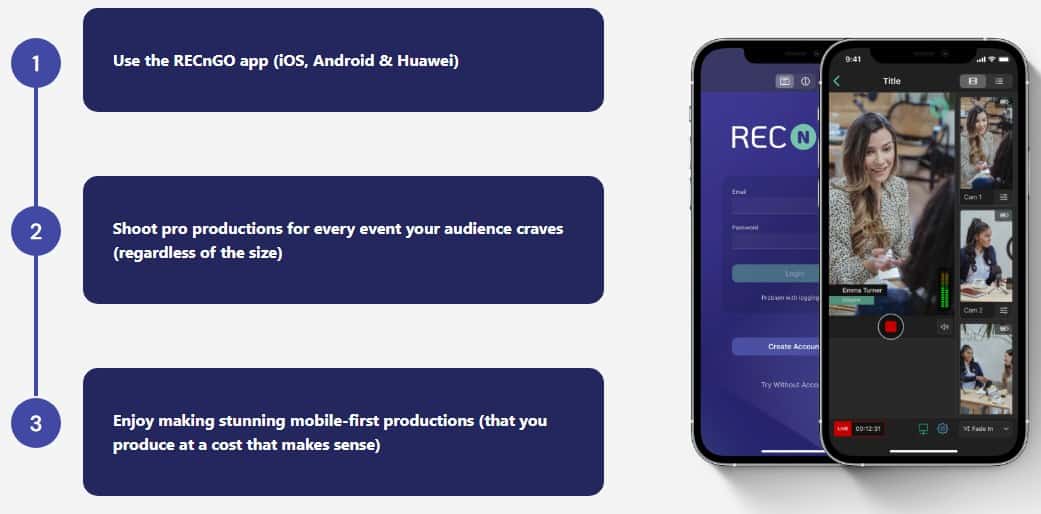
Mobile-first, studio-quality productions without TV cameras, cables or driving in a van. Out with back-breakingly heavy video equipment.
Quality production in just 3 steps
Studio-quality recordings and live streams.
Perfect for corporate and social events.
No need to rent expensive video equipment and crew.
Ideal for small venues and social media content creation.
Use whatever equipment your team has. (iOS, Android and Huawei)
Easy Customization & White-Label – Display your brand colors, fonts, and logo.
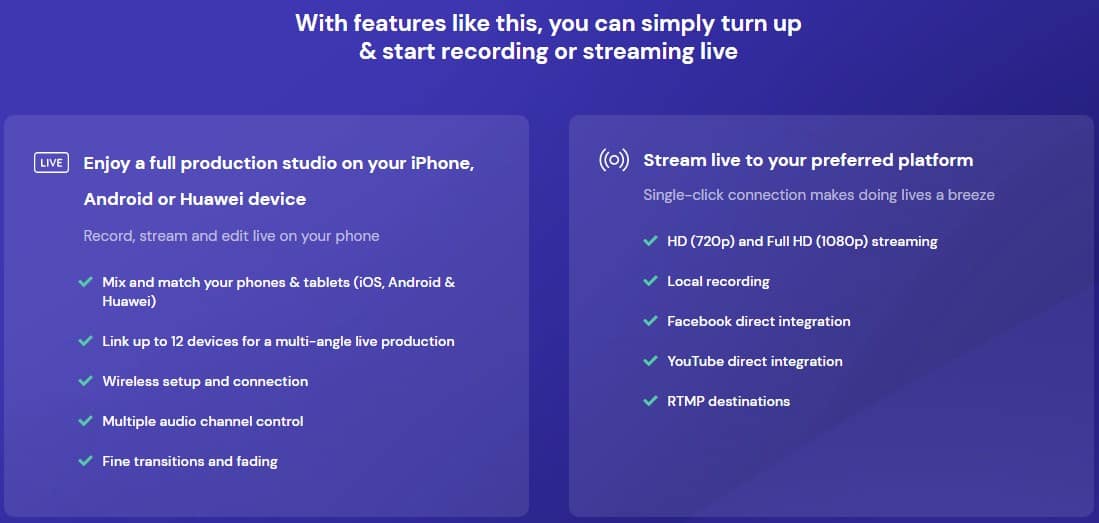
Easy-to-use for live streaming – Connect your devices and go live on social media or via custom RTMP.
Ease of use for recording – Save your footage locally/in the cloud for each camera angle and save it to your content library.
Simple setup and ease of use. (guided tour and tutorial available)
Features of RECNGO
multiple angle images
Say goodbye to single-camera monotony and welcome an immersive viewing experience your viewers will love!
Connect up to 12 mobile devices* for a multi-angle live stream that will engage your audience (like never before).
*All you need is a shared WiFi or 4G/5G connection, and you’re good to go.
Edit your footage live picture
Switch between front and rear cameras without leaving your producer’s chair – ideal for Q&A sessions when audience members pass the microphone around.
Adjust the white balance on each camera to make your video look its best – all you care about is the sun can play hide and seek, and your footage still looks consistent.
Turn the flash on and off independently for each device to keep your footage consistent – sometimes, you just need to amp up the light.
Zoom in and out on each camera for close-up views of the smallest details – your audience won’t want to be left out of a whiteboard presentation (even if the text is small).
announce speakers photo
Insert brand images and logos during your live stream, or add your presenters’ names and titles – just like on the TV show! Choose from six transition/fading effects.
Control the picture independently of your audio
Adjust and balance the sound for each device independently with the built-in audio mixer – the only live video studio that’ll let you manage sound like that.
If suddenly a group of laughing people comes from the bar, then mute the mic from where you sit…! Shah!
Take your seat in this powerful video production studio today and dazzle your clients with broadcast-quality productions (you can go premium for that).
Manage your projects in advance
Manage your projects days or weeks in advance by giving each client/project a home.
Create and upload brand colors, text, layers, or B-roll so on the day of your stream/production, all you have to do is set up your tripod and cameras.
Bonus: You can even copy-paste existing projects, so you never have to start building layers from scratch (huge time saver!).
key features
Use with your iOS and Android devices (Phone/iPad/Tablet)
Livestream on Social Media (Facebook, YouTube, Twitch & RTMP)



Leave a Reply