Do you want to create a landing page in WordPress? No pressure! This guide will walk you through the entire process with ease.
We’ll explore what landing pages are, including their purpose, installation, and other related information.
Let’s see how to create a WordPress landing page and direct visitors to customers.
here we go!
What is a landing page?
A landing page is a dedicated web page designed to guide visitors to take a specific action. Often, it’s about converting visitors into loyal brand customers.
The landing page can be used for –
product launch
Subscription registration
Download page and more
Unlike regular websites that encourage exploration, landing pages focus all their attention on getting visitors to take a specific action, such as making a purchase or subscribing to an email list.
For example: When someone clicks on an ad, they are directed to a landing page that provides more information about the advertised product.
Advantages of using landing pages
Using landing pages is a strategic way to achieve specific business goals. Here are some reasons why you should use landing pages:
1. Higher conversion rate:
High-converting landing pages have better conversion rates than regular web pages. This means it may convert visitors into leads or sales.
2. Improve user experience:
Such pages are designed to minimize distractions and guide website visitors to perform a specific action.
3. Tracking and testing:
Landing pages are easy to track, allowing marketers to measure the success of their campaigns.
Now that we understand the benefits of landing pages, let’s start setting up your website to build one.
Set up your WordPress website
When building landing pages in WordPress, make sure your website has all the tools and plugins you need for smooth performance, including Elementor.
Please note that for this tutorial you must have Elementor Website Builder installed and activated on your website.
Please follow these steps to install Elementor:
From your WordPress dashboard, go to Plugins > Add new plugin.
search “element” and click Install now.
After installing the theme, click enable.
Now that you have your WordPress site set up, let’s start choosing a landing page template.
Install the responsive starter template
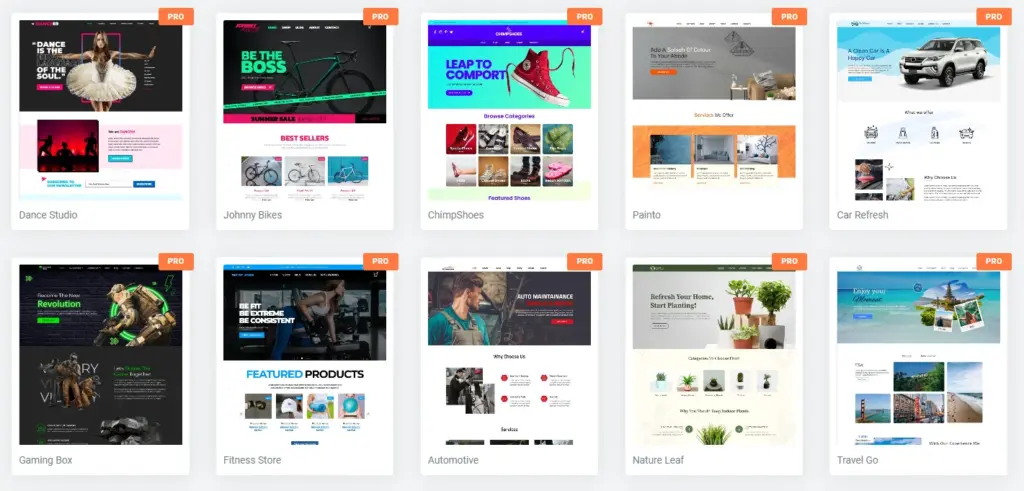
Responsive Starter Template The plugin provides a library of ready-made website templates designed for optimal speed and performance. You get over 150 professionally designed website templates built specifically for Elementor page builder and WordPress block editor.
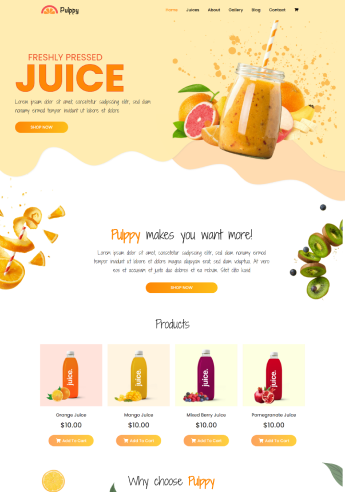
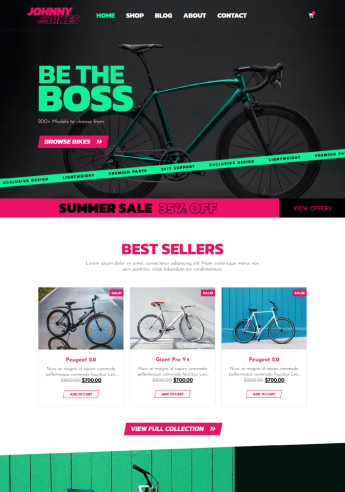
You can choose from several categories of templates to best suit your landing page. Just import the website template, add content, and launch your website.
You can use a range of stunning templates for free. However, they also have premium templates marked PRO that come with some extra features and design capabilities. You can access professional templates by purchasing the Responsive Pro plug-in.
You can buy the responsive starter template plugin at a discounted price on DealFuel.
Follow the steps mentioned below to install the responsive starter template.
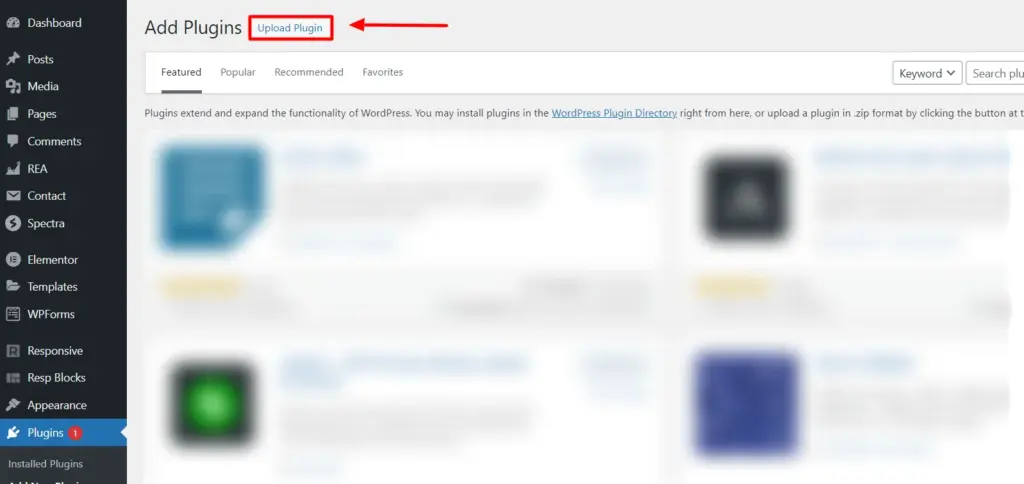
1. Navigate to Plugins > Add new plugin and click Upload plugin.
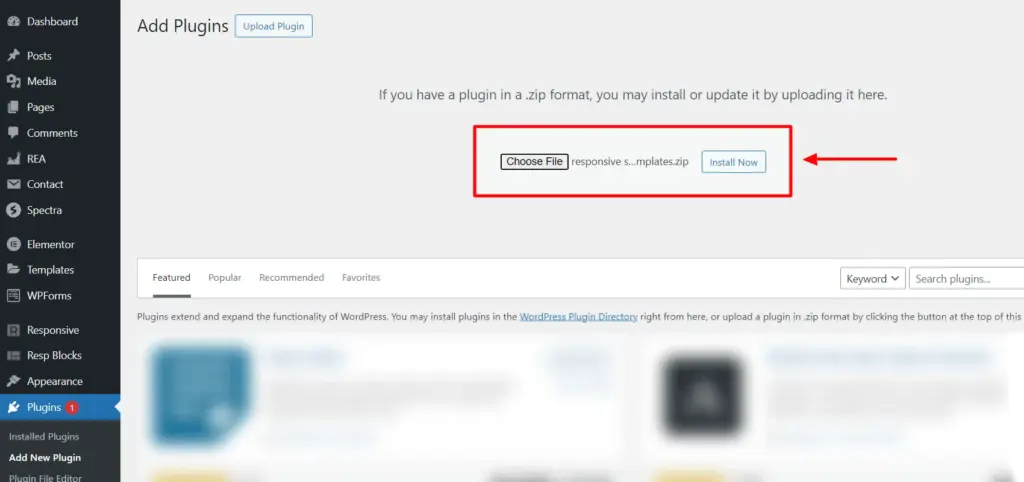
2. Upload the Responsive Pro zip file you purchased from DealFuel and click Install now button.
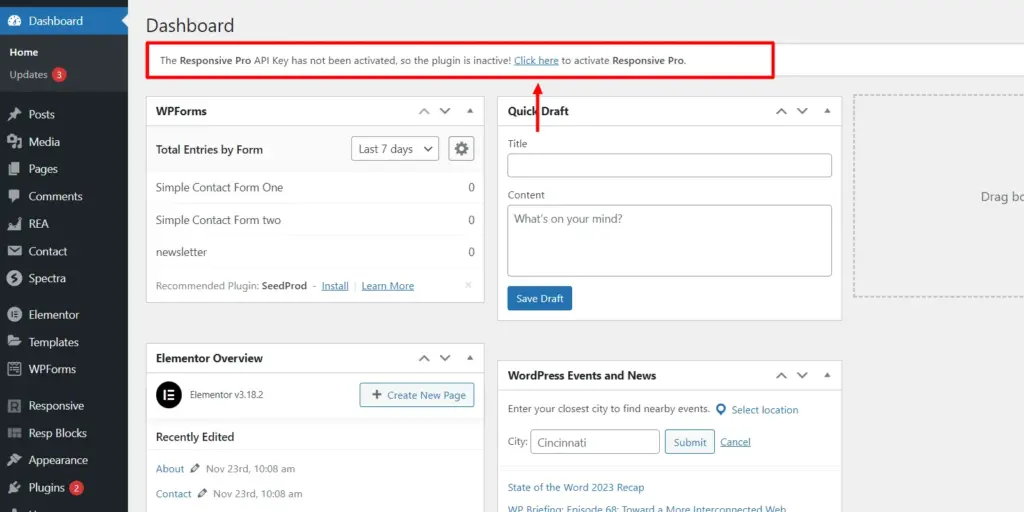
3. Select from the dashboard Click here Banner for activating Responsive Pro.
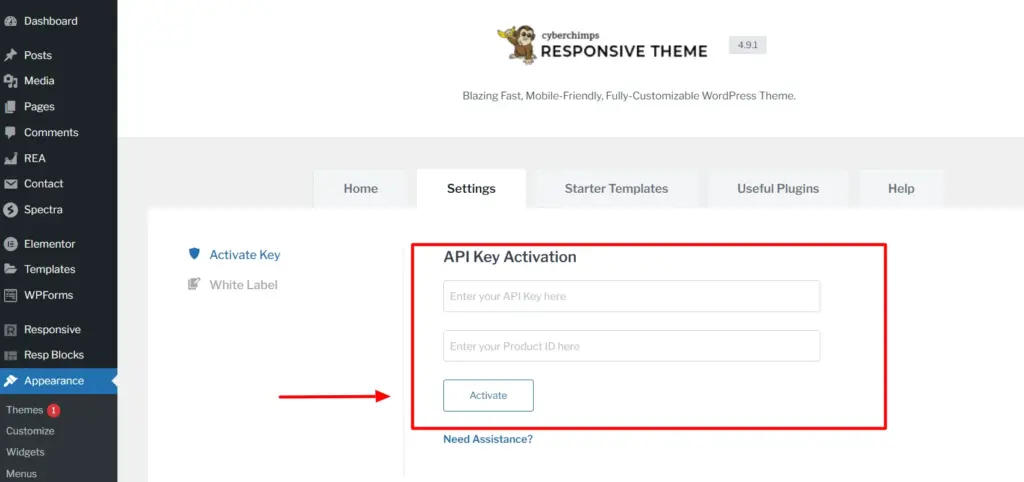
4. Enter API key and Product numberthen click Enable.
That's it! You have successfully installed and activated the Responsive Starter Template plugin.
Now that you have all the prerequisites, let’s start building your landing page!
How to create a landing page in WordPress?
Using the responsive starter template, you can create a custom landing page in 3 easy steps. To create a landing page on your WordPress site, follow the steps below.
Step 1: Add a new page
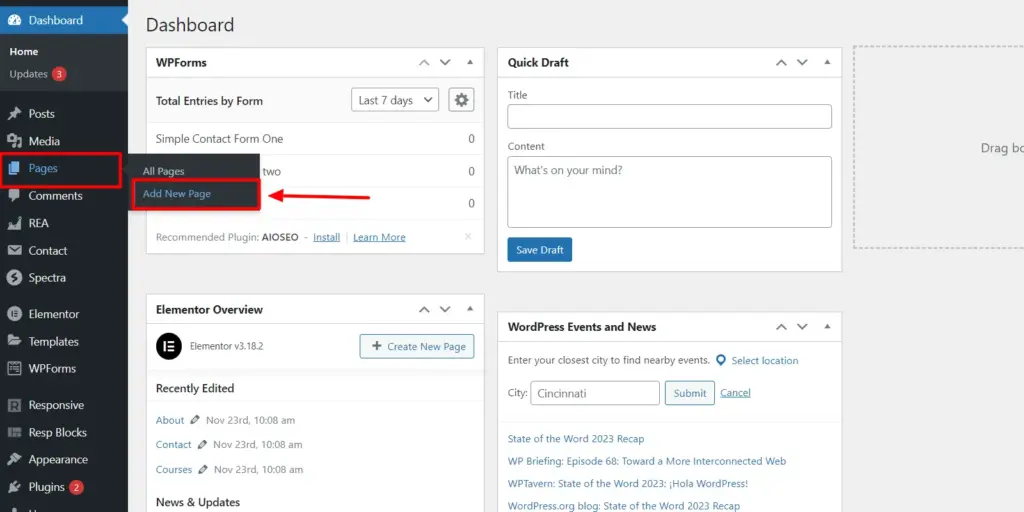
From your WordPress dashboard, go to Pages > Add new page.
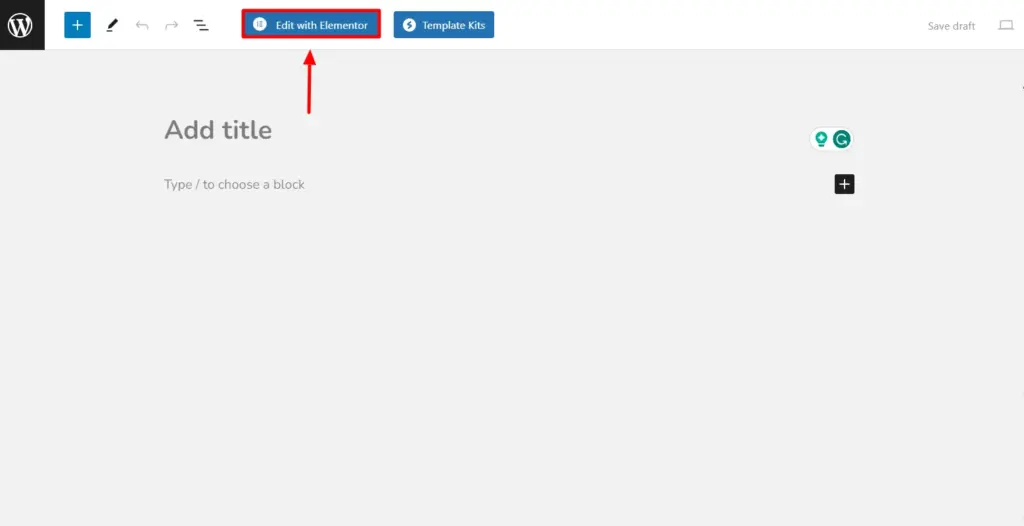
Once the new blank page opens, click Use Elementor for editing.
Step 2: Choose a responsive template
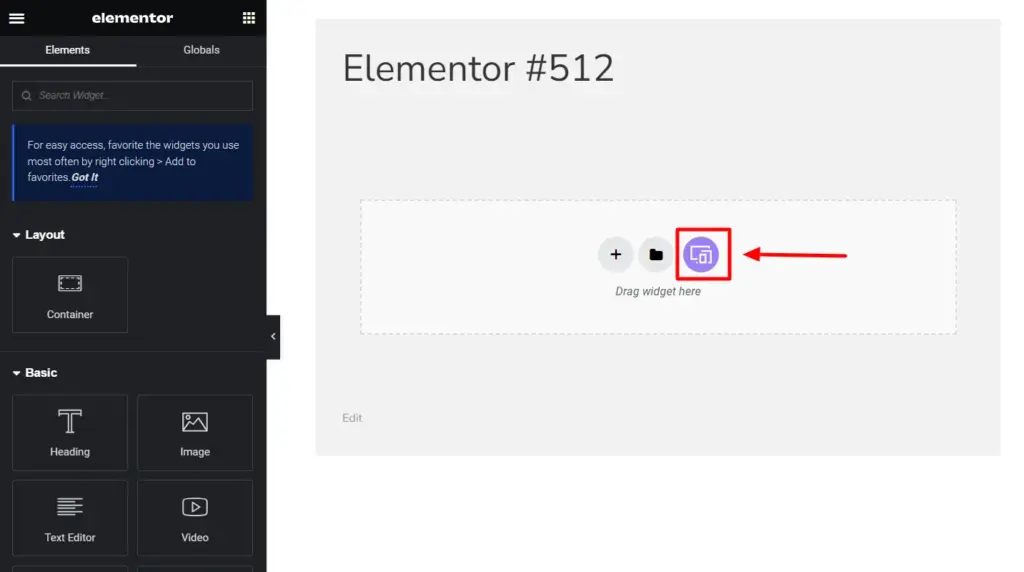
From the Elementor editor, select the RST icon to preview all templates.
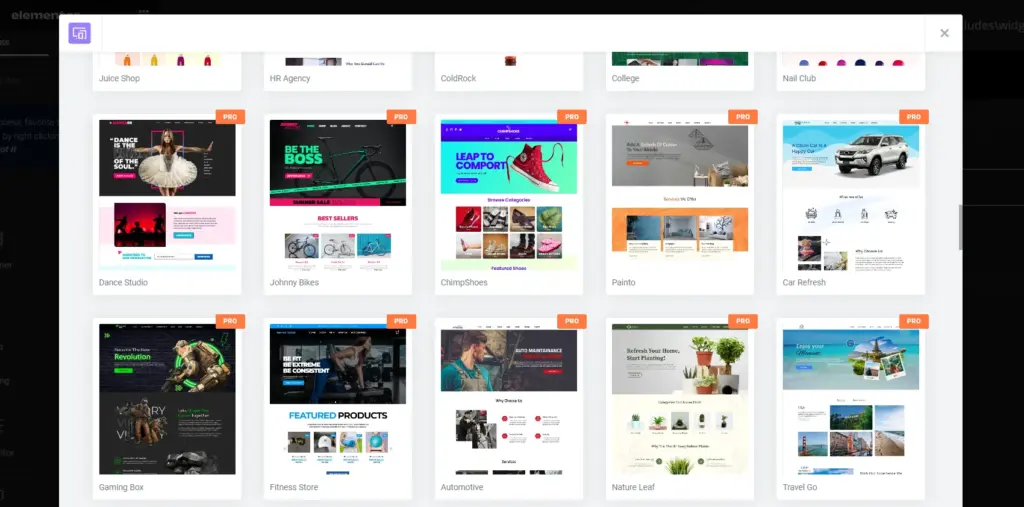
You can preview and search among 150+ starter templates that best fit your landing page vision.
You can search among over 150 starter templates that best match your website vision.
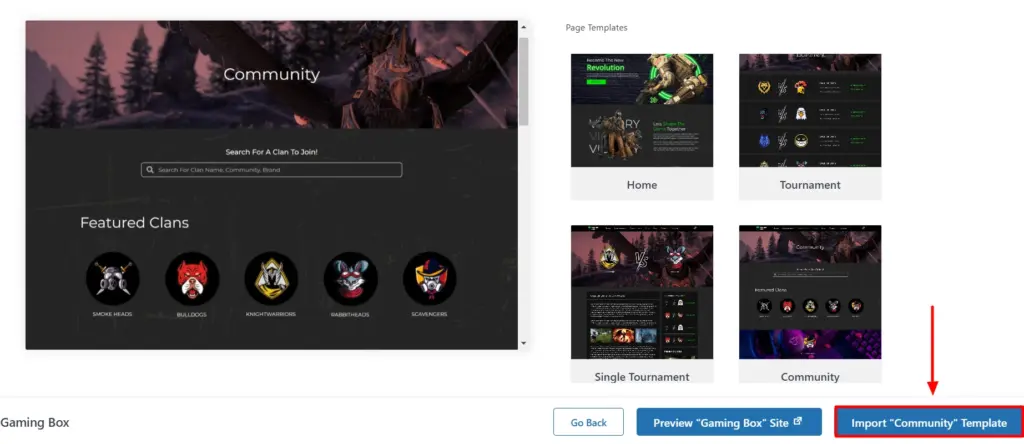
Select your favorite template to preview and click Import template.
Game Box template has been added to your page.
Your landing page has been added to your WordPress site. Now you can use landing pages to launch campaigns, offer discounts, create newsletter subscriptions, and more.
Step 3: Customize your landing spotPage
You can use the Elementor page builder to customize your landing page according to your website's preferences. This feature allows you to modify website elements such as text, images, colors, and layout.
You can use multiple drag-and-drop widgets to create a personalized and unique look for your landing pages.
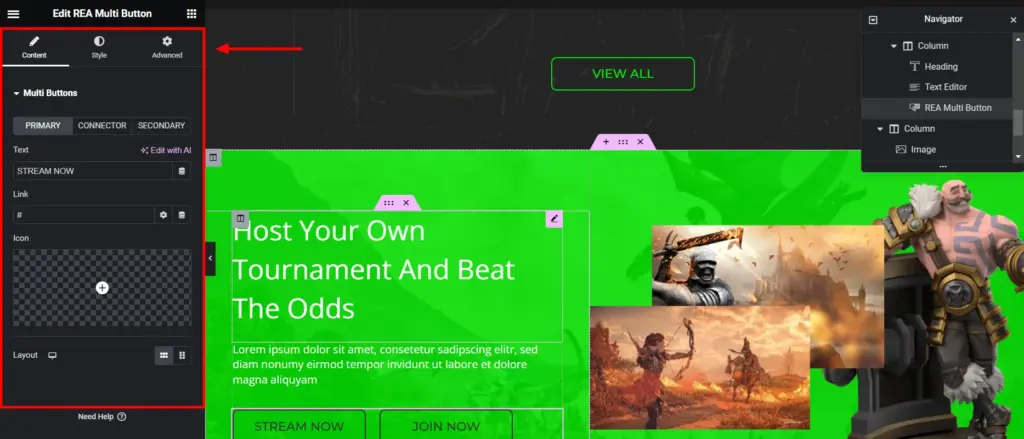
Click Editing with Elementor Start customizing your page.
Start customizing your landing page with the Elementor page builder. You have full control over adding or changing any element on your website.use Responsive Elementor plugin (REA) Widgets add more functionality to your landing pages.
Click renew button to save your changes.
Now you can create campaigns, add call-to-action buttons, and ultimately increase engagement and traffic to your landing pages.
in conclusion
We hope this guide helped you learn how to create a landing page in WordPress.
Start building a quality landing page to capture your visitors’ attention and use it to increase your engagement.
Explore and try out more features of Responsive Pro to further enhance the functionality of your website.
Excited about growing your website?catch Responsive Pro Now!
The post How to Create a Landing Page for a WordPress Website appeared first on DealFuel.
Leave a Reply