Camelo – Delify Exclusive Lifetime Deal
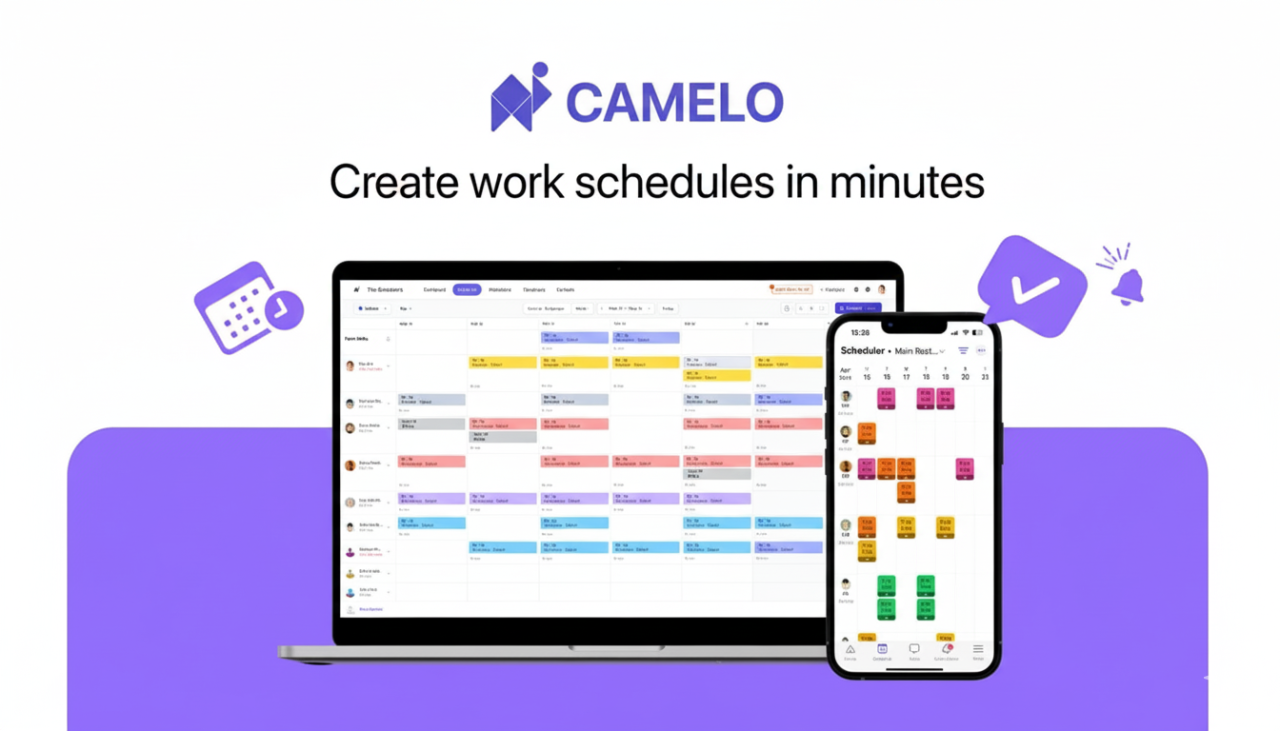
Because it gives shift-based teams one cool, connected space to plan, track, and run work.
Get Control of Coverage (Without Spreadsheets)
Auto-schedule as per availability, skills and labor rules.
Post open shifts, enable swaps/covers with approval.
Forecast labor costs based on role, location and pay rate.
Trust your time data
Mobile or kiosk clock-in via selfie, GPS, Wi-Fi or PIN.
Real-time alerts for late/missed clock-in or incorrect location.
Timesheets are automatically generated and ready for audit.
Close the loop on payroll
Clean exports to your payroll system, based on actual hours.
Less adjustments, less disputes, faster approvals.
keep everyone together
Built-in team chat (1:1 and groups) and announcement boards.
Necessary approvals for policies and important updates.
Everything remains where the schedule remains.
Make tasks and compliance effortless
Assign work in shifts; Must be completed before clock-out.
Store contracts/licenses with automatic expiration reminders.
Guardrails for overtime, maximum weekly hours and breaks.
Designed for actual operation
Hospitality, retail, healthcare and regional services are ready.
Multi-location view (by employee, site, coverage, or calendar).
Works great for in-house, mobile, and remote teams.
scales with you
Scheduling policies with accrual/carryover and approval.
Client CRM for contacts and job sites (bookings/quotations coming in).
API, role-based permissions, branding, 10 languages, and native dark mode.
ground level
Fewer scheduling errors, happier employees, reduced cleaning costs, and hours of downtime each week.
If you need scheduling, time tracking, tasks, chat, and a light CRM in one place – built for shift work – then Camelo is the straightforward choice.
Plan: Add roles, locations and rules; Auto-schedule to fill gaps instantly.
run: Staff clock in; Create timesheets yourself; Chat keeps changes synced.
Review: Approve hours, export payroll, track labor costs and attendance trends.

smart scheduling
Auto-build, copy and template shift; View by person, site, coverage or calendar.
Post open shifts, allow swaps/covers with approval, and push updates immediately.
Plan based on availability, skills, time off and labor rules.
time attendance
Clock-in via mobile or kiosk using selfie, GPS, Wi-Fi or PIN.
Geo-verification prevents friend punching; Late/missed alerts in real time.
Works seamlessly for on-site, mobile and remote teams.
Timesheet and Labor Forecasting
Real Hours automatically generates clean, audit-ready timesheets.
Export to payroll in just a few clicks; Cut down on disputes and adjustments.
Add pay rates to forecast weekly/monthly labor costs by role or location.
time off management
Accruals, balances, carryovers and custom approval flows.
Staff set availability preferences; Managers create schedules with confidence.
team communication
1:1 and group chats where the schedule remains.
Announcement board with necessary approvals for important policies.
Mentions, comments and searchable feed – nothing gets lost.
task management
Assign tasks to shifts or teams; Must be completed before clock-out.
Reusable templates for opening, closing, audit and inspection.
Instant visibility of what has been done and what is blocking it.
Documentation & Compliance
Store contracts, licenses and certificates with expiration reminders.
Guardrails for overtime, maximum weekly hours and required breaks.
Client CRM (Lite)
Admin Controls and Integration
Global-ready UX
10 languages are supported – English, Spanish, French, German, Dutch, Portuguese, Vietnamese, Indonesian, Malay and Simplified Chinese – and a native dark mode for night shifts.

Shift-based organizations that need clarity, coverage, and control – without spreadsheets.
By Industry:
hospitality: Restaurants, cafes, hotels, venues – juggling FOH/BOH, last-minute swaps and peak-hour coverage.
Retail & Franchise: Multi-store teams, seasonal surges, and headcount while tracking labor costs.
Health care and nursing services: Clinics, care homes, home health – qualifications, compliance and 24/7 coverage.
Area and Facilities Services: Cleaning, security, maintenance, delivery-mobile clock-in, work site and proofing.
Leave and Welfare: Gym, Salon, Studio-Recurring Shifts, Bookings and Policy Approvals.
According to team size and composition:
Small to medium-sized teams (10-300 employees): Need automation, visibility and clean payroll without an IT project.
Multi-Location Ops: Want integrated scheduling with views by site, person, or coverage and role-based permissions.
Growing Franchises: Consistent standards, licenses require expiration reminders, and brand-ready onboarding.
Hybrid/In-Field Crew: A mix of kiosk and mobile clock-in, GPS/Wi-Fi verification and real-time attendance alerts.
From leadership roles:
Owner and GM: Cut down on labor waste, see costs before shifts and keep compliance guardrails running.
Operations and Human Resources: Run time-off policies, document expirations, acknowledgments, and audit-ready timesheets.
Frontline Manager: Auto-fill schedules, approve swaps, track tasks, and resolve attendance issues faster.
Employee: One app for clear shifts, fair times, easy swaps, chat, tasks and clock-ins.
If your business runs shifts—hospitality, retail, healthcare, or field services—Camelo centralizes scheduling, time tracking, tasks, chat, and a light CRM so you can work easier with fewer errors and happier teams.
Find stories of successful customers here.


Just another WordPress site
Leave a Reply